
If you’ve ever felt like something’s off in your Amazon seller account, like sales slipping for no apparent reason, your ad spend climbing while conversions stall, or a warning suddenly landing in your inbox, you’re not imagining things.
Amazon doesn’t always give you a roadmap when things go wrong. Most sellers only realize their account is off-track once they’re already dealing with the fallout. That’s why an Amazon seller account audit is a lifeline. It helps you catch cracks in the foundation before they become full-blown collapses.
At Riverbend Consulting, we’ve worked with thousands of sellers who didn’t think they needed an audit until they did. And by the time Amazon starts asking questions, it’s often too late to scramble. So if something feels “off” in your account, or even if it doesn’t, it’s time to check under the hood.
This guide breaks down what an Amazon audit means, how to do it effectively and other types of audits to note. It also explains why an Amazon seller account audit is one of the most powerful tools you have to protect your business.
What is an Amazon seller account audit?

An Amazon audit is a hands-on review of your business from the inside out. It’s about spotting the gaps that could quietly chip away at your performance, profits, or account standing. And while many sellers wait until something breaks, the smartest ones audit before they ever get a warning.
Whether you’re scaling fast or feeling stuck, an audit gives you the clarity you need to make informed decisions, adjust your strategies and stay compliant.
There are several types of audits besides an Amazon seller account audit that can also help you monitor performance. They include your listing audits, PPC audits, policy audits, account health audits and more. The goal? To uncover blind spots before they turn into bigger problems.
How often should you audit your Amazon seller account?
Most sellers know they should audit their account. The challenge is knowing when and how often to do it. A smart audit schedule keeps you ahead of trouble and gives you time to course-correct before your account health or profits take a hit. Here’s a simple cadence to follow:
- Monthly: Review your PPC campaigns, account health metrics and top/bottom-performing ASINs. Ads and performance data shift fast. Catch trends early.
- Quarterly: Audit your listings, inventory health, pricing structure and brand presence. Listings drift out of date over time, and seasonal shifts can impact visibility and conversion.
- Annually: Run a compliance and policy audit. Review your documentation, insurance, tax settings and safety files. If Amazon ever comes knocking, you’ll be glad you did.
But frequency isn’t the only thing that matters. Certain red flags should trigger an immediate audit, no matter the calendar:
- Sales suddenly dip without a clear reason
- You continuously lose the Buy Box for key SKUs
- You get a policy violation or a performance warning
- Amazon changes category rules or compliance requirements
- You’re launching in a new marketplace or switching fulfillment models
- Major regulatory changes in a space with intense regulation, like consumables
- Product safety recalls, especially those initiated by the government
Building audits into your workflow doesn’t have to be overwhelming. Set calendar reminders. Create recurring Asana or Trello tasks. Block 90 minutes once a month to pull reports and review metrics. If you’re running a team, assign ownership, don’t let everything fall on one person.
The sellers who stay in control of their accounts aren’t the ones working the hardest. They’re the ones watching closely and adjusting early. Audits make that possible.
How to conduct an Amazon seller account audit
A successful Amazon seller account audit starts with something simple: slowing down. It’s easy to get caught in the day-to-day rush of fulfilling orders, managing ads and reacting to Amazon’s latest curveball. But without a detailed Amazon problem solving review, minor issues can snowball into major setbacks.
Think of it as a tune-up, not just for compliance, but for growth, profitability and peace of mind.
Step 1 Review your sales and traffic trends: Analyze your sales over the past 30, 60, and 90 days. Are they up, flat, or declining? Then, compare your sessions and conversion rates. A drop in traffic with stable conversion might mean visibility issues. A dip in conversion could mean problems with listing or pricing.
Step 2 Evaluate your best and worst products: Log your top 10 and bottom 10 ASINs. Are your worst performers getting clicks but no sales? Are your best sellers facing new competitors? This gives you a sense of where to optimize or cut losses.
Step 3 Check account health metrics: Go to the Account Health dashboard. Look closely at your Order Defect Rate (ODR), Cancellation Rate, Late Shipment Rate and Policy Violations. These are the metrics Amazon watches most. Anything trending close to the limit needs immediate attention.
Step 4 Audit customer feedback and messaging: Look for patterns in reviews, returns and buyer messages. Complaints about packaging, quality, or delivery delays often indicate backend or supplier issues you can fix.
Step 5 Understand inventory health: Check for stranded inventory, overstock, and long-term storage risk. Run your sell-through report to identify slow movers, and double-check inbound shipments for delays or missing units. Inventory that just sits there is money on pause.
Step 6 Review FBA and referral fees: Review your FBA fee structure per ASIN. Sometimes fees go up without notice due to minor changes in dimensions or weight. Also, look at your referral fees and returns processing costs—those charges add up fast.
Step 7 Check refund and reimbursement trends: Analyze which products are often refunded and why. Review your Amazon reimbursements for unreturned items or damaged goods. Amazon doesn’t always get it right and it’s on you to catch.
Step 8 Confirm policy and compliance alignment: Review restricted product listings, brand registry enrollment, and safety documentation. Ensure your account complies with the latest Amazon policies to avoid suspension risks.
Other areas to audit in your Amazon business
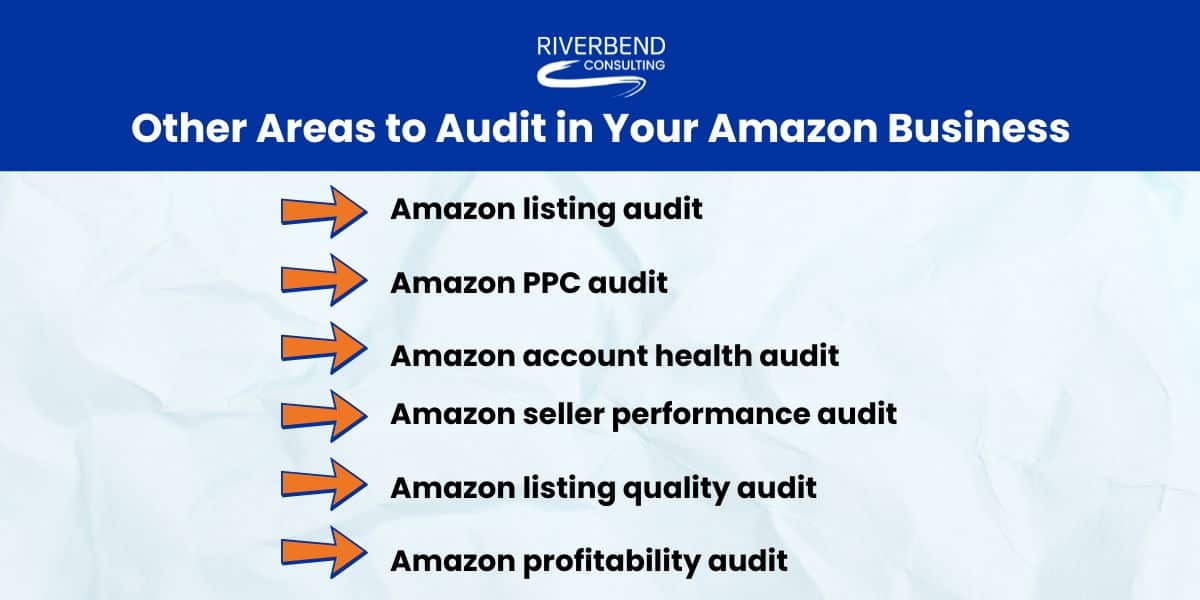
To get a complete picture of your account, you must look at it from multiple angles. Here are eight additional types of audits that can help you optimize your Amazon business.
#1 Amazon listing audit: This audit focuses on the content and performance of your listings. Are titles optimized? Do your bullets and images reflect key selling points? Are keywords up-to-date? A listing audit helps improve visibility, click-through rate, and conversions.
#2 Amazon PPC audit: A PPC audit breaks down how your advertising dollars perform. Are you wasting spend on irrelevant keywords? Are you bidding too high or too low? Look at your ACoS, ROAS, CTR and spend. Identify high-cost, low-converting keywords and flag campaigns with high impressions but low click-through rates; these may be misaligned with customer intent.
#3 Amazon seller account health audit: This is your defense against deactivation. It reviews all health metrics like ODR, return rates, policy warnings, and shipment issues. It also includes documentation prep in case you need to appeal a suspension.
#4 Amazon seller performance audit: Here, you’re looking at responsiveness, fulfillment accuracy, and customer satisfaction. Are you responding to messages within 24 hours? Are there delays in order processing? These small metrics matter more than you think.
#5 Amazon listing quality audit: Separate from basic listing optimization, this audit looks at listing health from Amazon’s internal scoring perspective. Are you using all available fields? Are you missing Enhanced Brand Content, alt-text, or category-specific attributes?
#6 Amazon profitability audit: This often-overlooked audit evaluates your profit margins. Are you accounting for FBA fees, returns, ad costs, and discounts? It’s not about revenue; it’s about what’s left after the dust settles.
Steal this Amazon seller account audit checklist
When your Amazon business starts to grow, so does the complexity. One day you’re managing a few SKUs and checking metrics over morning coffee. Next, you’re buried in returns, chasing ad performance and trying to remember when you last reviewed your account health dashboard.
An Amazon audit helps you create a repeatable system that gives you clarity, confidence and control. A good Amazon seller account audit checklist keeps you proactive, not reactive. It helps you stay ahead of Amazon’s ever-changing policies, customer expectations and marketplace competition.
- Review 90-day sales and traffic trends
- Identify top and bottom-performing ASINs
- Check Account Health: ODR, cancellation and shipping metrics
- Review all customer messages and return comments
- Evaluate reviews for product quality signals
- Run a keyword check on top listings
- Review PPC ACoS, ROAS and CTR by campaign
- Spot-check listings for title/bullet/image optimization
- Confirm Brand Registry enrollment
- Check for restricted ASINs or compliance flags
- Review shipping settings and delivery promises
- Ensure tax, bank, and business details are current
- Audit ad spend vs. profit per SKU
Your response to the audit checklist should put you in a stronger position once complete.
Post-audit action plan: What to do with your findings

Running an Amazon audit is only half the job. What trips up many sellers is what comes after: staring at a pile of insights and not knowing where to start. It’s easy to get overwhelmed, especially when everything feels urgent. The key is prioritizing. Start by organizing your findings.
#1 Urgent (fix this week): Anything that affects account health, violates policy, or risks suspension. Late shipment rates creeping up? A listing flagged for restricted keywords? These need action now.
#2 Mid-term (fix this month): Things that won’t trigger a warning tomorrow but are eating into profit or performance. Examples: bloated ad spend, outdated keywords, suppressed images, or underperforming ASINs.
#3 Long-term (fix this quarter): These are strategic projects like refreshing all your A+ Content, switching to WFS, or improving your international marketplace operations. Important, but not on fire.
Next, delegate clearly. If you have a team, assign fixes by function.
- Customer service handles response times, customer follow-up and returns.
- Operations tackles shipping delays, inventory, and system fixes.
- Marketing owns listing updates, PPC improvements and branding gaps.
And finally, set measurable goals. Broad statements like “improve metrics” won’t get you far. Instead, go with targets like:
- “Lower return rate on ASIN B001 by 20% in 30 days.”
- “Cut ACoS to under 25% across top three campaigns.”
- “Update listing images on the five bestsellers by the end of the month.”
The magic of an Amazon seller account audit isn’t in the findings; it’s in the follow-through. Break it down, assign it out and track progress. That’s how you turn insight into real momentum.
Your Amazon success starts with accountability
Selling on Amazon isn’t static. What worked six months ago might not cut it today. Between changing policies, growing competition and rising customer expectations, staying ahead takes more than guesswork. That’s why an Amazon seller account audit requires discipline.
Whether managing everything yourself or leading a team, regular audits keep you grounded and focused. And if it ever feels too complex to tackle alone, don’t wait for a red flag. Get support from someone who knows how to navigate the platform inside and out. At Riverbend Consulting, we help sellers turn red flags into action plans because a healthy account means a profitable Amazon business.
Seller Account Health. Solved.
FAQs
Q: What is an Amazon seller account audit and why is it important?
A: An Amazon seller account audit is a full review of your Amazon operations. It helps uncover issues before they lead to lost sales, or worse, Amazon seller account suspension.
Q: How do I perform a complete step-by-step Amazon seller account audit?
A: Start by reviewing sales trends, account health and customer feedback. Then dig into your listings, ads, inventory and compliance documentation. Prioritize what’s broken, assign fixes and set measurable goals.
Q: What are the key areas to check during an Amazon seller account audit?
A: Focus on listing quality, ad performance, account health, inventory levels, return data and policy compliance. These touch every part of your business and are the first places Amazon looks when there’s a problem.
Q: How often should I conduct an Amazon seller account audit?
A: Run a full audit quarterly and check high-impact areas like PPC and account health monthly. Trigger an immediate audit if sales drop, you get a policy flag, or your category rules change.
Q: What tools can help automate my Amazon seller account audit process?
A: Use Amazon reports inside Seller Central, paired with tools like Helium 10. Remember, tools help, but human judgment makes the best calls.
Q: How do I audit my Amazon product listings for optimization?
A: Review titles, bullets, images, keywords and A+ Content. Ensure your listings are accurate, keyword-rich and aligned with current search trends and customer expectations.
Q: What metrics should I track during an Amazon seller account audit?
A: Track your ODR, return rate, ACoS, conversion rate, Buy Box percentage and sell-through rates. These metrics paint a clear picture of account health and profitability.
Q: How do I identify and fix policy violations in my Amazon audit?
A: Check your Account Health dashboard for violations and review your listings against current policies. If flagged, document the fix and be ready with a strong appeal if Amazon requests one.
Q: What are the most common Amazon seller account issues found during audits?
A: Sellers often uncover over-optimized ads, stale listings, suppressed ASINs, missing compliance documents, or fees that eat into profits. The good news? Most can be fixed before they escalate.