Diving into Walmart Seller Center for the first time can feel like learning a new language. For new sellers, it’s a gateway to an expansive marketplace with millions of potential customers. However, like any platform, some intricacies can make or break your experience. In this guide, we’ll demystify Walmart Seller Center, outline its benefits and provide step-by-step instructions to help you set up and optimize your account while avoiding common pitfalls. Let’s make your Walmart selling journey as smooth as possible.
What is Walmart Seller Center?

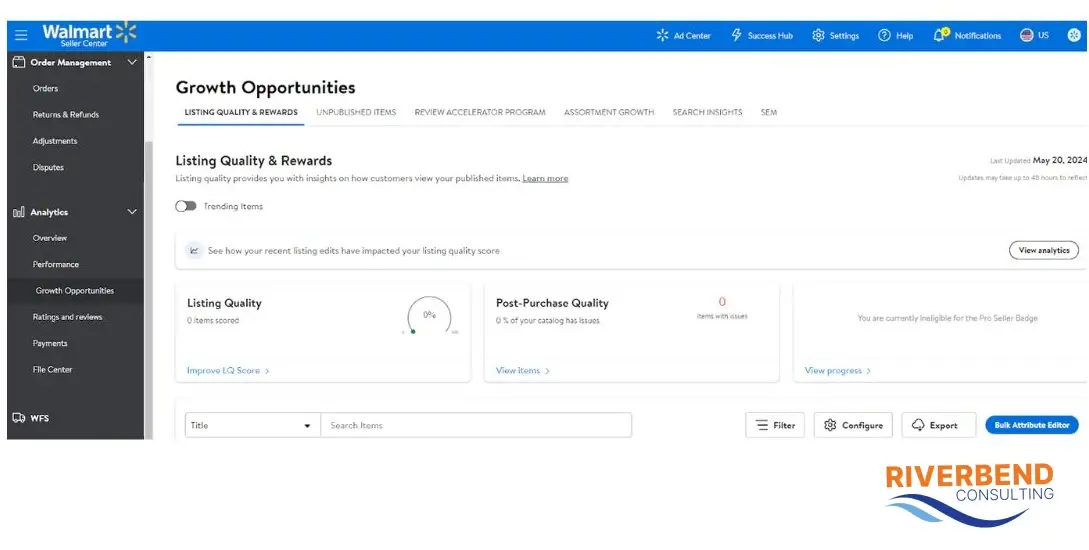
Walmart Seller Center is the centralized hub where third-party sellers manage their operations on the Walmart marketplace. Think of it as your command center. Here, you’ll manage inventory, process orders, track performance and analyze customer insights. It’s a powerful tool designed to help sellers scale their business and connect with Walmart’s extensive customer base.
The platform is intuitive yet robust, offering features for uploading products, creating promotions and handling logistics. Whether listing a single product or managing a catalog of thousands, Walmart Seller Center is your go-to resource for operational efficiency.
The benefits of Walmart Seller Center
Success in the Walmart marketplace starts with the power of Seller Center. This comprehensive platform is designed to provide sellers with the tools and insights needed to thrive in a competitive marketplace. From managing inventory to analyzing performance, here’s why Walmart Seller Center stands out as an essential resource for scaling your business:
- Access to Walmart’s massive customer base: Walmart’s online marketplace attracts millions of shoppers. By listing your products here, you’re tapping into a trusted platform with vast reach.
- Streamlined operations: Seller Center consolidates all your selling activities, from listing products to handling returns. This streamlines your operations, saving time and minimizing errors.
- Competitive advantage: Walmart’s marketplace is less saturated than some competitors, offering more visibility and less competition within specific categories.
- Trust factor: Products listed on Walmart.com benefit from the retailer’s reputation for quality and affordability. Customers are more likely to trust third-party sellers hosted on Walmart’s platform.
What are the requirements of Walmart Seller Center (USA)?
Selling on Walmart.com isn’t an open invitation—the platform has stringent criteria to ensure customer satisfaction and reliability. Meeting these requirements helps you gain approval and establishes the foundation for a successful selling experience.
1. US business registration: Walmart.com requires you to have a legally registered US business entity. This means you must provide a valid tax identification number (TIN) issued by the IRS. Ensure your business registration matches the name on your application and payment details.
2. Product quality standards: Quality assurance is a top priority for Walmart. You must offer authentic, high-quality products. Avoid listing counterfeit, expired, or restricted items. Adhere to product-specific guidelines, such as labeling, packaging and documentation requirements. Meeting these standards builds customer trust and minimizes potential issues like returns or negative reviews.
3. Fulfillment capability: Fast and accurate order fulfillment is crucial to customer satisfaction. Sellers are expected to process and ship orders within the promised timeframe. Use reliable shipping carriers with tracking capabilities. Consider leveraging Walmart Fulfillment Services (WFS) for streamlined logistics, which includes storage, packing, and shipping assistance.
4. Competitive pricing: Walmart’s reputation for “everyday low prices” means sellers need to offer competitive pricing. To remain viable, you should monitor market trends and competitors regularly. Price products competitively while maintaining profitability. Walmart expects competitive pricing across marketplaces. If your prices are significantly higher than on other platforms, your listings may lose visibility or become unpublished
5. Compliance with Walmart’s policies: Compliance is non-negotiable. You must adhere to Walmart’s performance standards, including On-Time Delivery Rate, Valid Tracking Rate, and low cancellation rates, as falling below thresholds can impact your account status.
6. Customer service guidelines: To meet Walmart’s customer service guidelines, respond promptly and professionally to inquiries and disputes. Practices such as incentivizing reviews, manipulating listings, or directing customers off-platform are prohibited. Failure to comply can result in account suspension or deactivation of your Walmart account.
Your effort to align with Walmart’s standards will help pay dividends in customer satisfaction and sales growth.
Walmart Seller Center account setup: Step-by-step
How to setup your Walmart Seller Center account can feel overwhelming, but breaking it down into actionable steps makes the account process manageable.
Step 1: Apply to become a Walmart seller
- Visit Walmart’s Marketplaceapplication pag and fill out the online form.
- Provide essential details about your business, including your tax ID, product categories, and fulfillment methods.
- Double-check your application to ensure accuracy before submitting it.
- Once submitted, you’ll receive a confirmation email. Walmart’s review process typically takes 2-3 weeks.
Step 2: Receive approval and onboarding instructions
Walmart will send onboarding instructions to your registered email once your application is approved.
- Review the Walmart Marketplace Seller Agreement carefully.
- Prepare your documentation, including banking details, tax forms, and business licenses.
- Familiarize yourself with Walmart’s seller policies to avoid compliance issues later.
Step 3: Set up your Seller Center account
This is where the operational setup begins:
- Log in to Walmart Seller Center using the credentials provided.
- Complete your profile by entering the following:
- Banking information for receiving payments.
- Tax documentation, such as a W-9 form.
- Company information, including your logo and description, to build trust with customers.
Step 4: Upload your products
Now it’s time to get your inventory live on Walmart’s marketplace:
- Use Walmart’s self-service tools for individual product uploads or the bulk upload feature for more extensive catalogs.
- Ensure your listings meet Walmart’s standards by providing the following:
- High-quality images.
- Detailed and accurate product descriptions.
- Clear pricing and availability information.
- Optimize listings with relevant keywords to increase visibility in search results.
Step 5: Configure shipping settings
Proper shipping setup ensures a seamless customer experience:
- Define your shipping regions and delivery timelines based on your fulfillment capabilities.
- Set accurate shipping rates to remain competitive while covering costs.
- Consider enrolling in Walmart Fulfillment Services (WFS) for expedited shipping and storage solutions. WFS can enhance your performance metrics and customer satisfaction.
Step 6: Go live
Once all configurations are complete, your account is ready to go live.
- Conduct a final review to ensure all listings, settings and policies are accurate.
- Monitor your account performance metrics, including order defect rates and customer feedback.
- Use Walmart’s analytics tools to identify trends and opportunities for improvement.
- Ongoing optimization and adherence to Walmart’s policies are key to long-term success.
Common errors setting up a Walmart Seller Center account and how to tackle
Launching a Seller Center account is a significant milestone, but it doesn’t always go as planned. Mistakes during setup can create roadblocks that delay your ability to start selling. The good news? These challenges are often easy to fix with the right approach. Below, we explore common errors you may face and practical solutions to help you address them efficiently.
- Incomplete applications: Missing information or incorrect documentation is common. Double-check your application before submission. Ensure all fields are completed and documents are accurate.
- Product listing errors: Products may not be displayed correctly or rejected. Follow Walmart’s listing guidelines meticulously. Ensure product descriptions, images, and prices meet standards.
- Banking or tax information issues: Incorrect banking details can delay payments. Verify your account information carefully before submitting.
- Shipping configuration mistakes: Misconfigured shipping rates or unrealistic timelines can lead to customer complaints and lost sales. Accurately calculate shipping costs using Walmart’s tools and input realistic delivery timelines. Avoid over-promising delivery speeds you can’t meet. Regularly audit your shipping settings to align with customer expectations and current operational capacity.
- Delayed Approvals: There are often long waits for account activation due to incomplete follow-ups. To expedite the process, maintain communication with Walmart support and promptly provide any requested documents.
Walmart Seller Center FAQ
Feeling overwhelmed by the platform’s technicalities, policies and options is natural. To set you up for success, we’ve compiled detailed answers to some of new users’ most frequently asked questions.
Navigating Walmart Seller Center: How we can help
Walmart Seller Center is a robust platform, but its complexity can present challenges, even for experienced e-commerce sellers. Unlike other marketplaces, Walmart has nuanced systems and requirements that demand careful navigation. For instance, its pricing rules require strict adherence to competitive benchmarks and its performance metrics can be unforgiving if not managed diligently. You may encounter difficulties:
- Understanding and applying Walmart’s pricing policies.
- Complying with rigorous shipping and fulfillment standards.
- Managing inventory and avoiding stockouts or overstocking.
- Navigating listing requirements that differ from other marketplaces.
These challenges require expertise, patience and a strategic approach. That’s where Riverbend Consulting steps in. With years of experience helping e-commerce sellers thrive, our team offers tailored support to tackle the specific hurdles Walmart sellers face.
Whether it’s resolving a Walmart account suspension, securing Walmart reimbursements, or tackling performance challenges, we’re dedicated to helping you thrive on the Walmart.com marketplace. Contact us today for Walmart account support.
Seller Account Health. Solved.