
For many sellers, the latest Amazon turbulence comes from the frustrating listing variation concern. This issue, which has left countless sellers scrambling, highlights the often unforgiving nature of the Amazon marketplace.
We’ve seen firsthand the frustration and financial strain the Amazon listing variations issue can impose on businesses. Whether it’s a miscategorized item or a vanished product variation, the repercussions are immediate and severe.
The complexity of the Amazon listing variations issue lies in the intricate and often misunderstood policies that govern them. These rules vary significantly across different product categories, creating a complex set of guidelines you must decode and decipher. The challenge is compounded by the fact that the interpretation of these policies often hinges on specific definitions that are only sometimes clear. Ambiguity can lead to unintentional mistakes, resulting in listings being altered or removed without warning.

Amazon’s rigid policies and automated systems offer little room for error or quick resolution. Sellers are left to navigate the complex process, often feeling unsupported and unheard. The impact on sales, inventory, and customer satisfaction can be devastating, underscoring Amazon’s need for more responsive and human-centered support.
Amazon listing variations Explained
Amazon listing variations or parent-child variations, are a structured way of organizing similar products under a single umbrella listing. This system allows you to cohesively present multiple product variations, including different sizes, colors, flavors, and styles. Listing variations can streamline your inventory, enhance the customer shopping experience, and boost sales.
The basics of listing variations
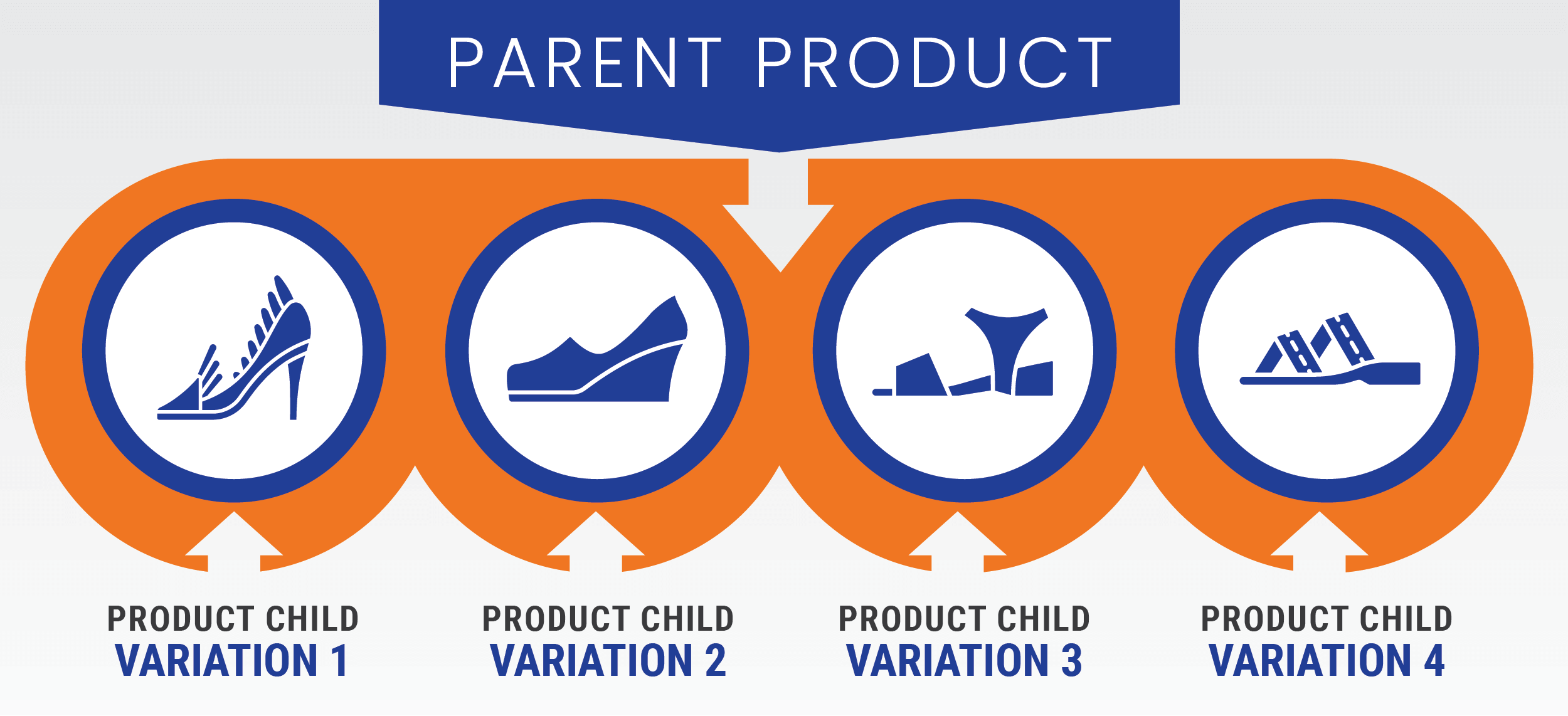
Amazon’s variation system has two main components: parent listings and child listings. The parent listing acts as a container that groups all related products, while child listings represent the individual variations of that product.
- Parent listing: This non-buyable entity is the overarching category for the related products. It contains general information applicable to all variations, including the brand, product title, and description.
- Child listings: These listings are the actual buyable products that fall under the parent listing. Each child listing has its own specific details, such as size, color, price, and stock availability.

Benefits of Amazon variations
- Improved customer experience: Variations allow customers to browse and compare options easily without searching multiple listings.
- Enhanced search visibility: A well-structured parent listing can increase traffic and rank higher in search results. This consolidated approach can amplify the visibility of all related products.
- Streamlined inventory management: Grouping similar products together can help you manage your inventory more efficiently. Updates to the parent listing automatically reflect across all child listings, reducing the need for repetitive changes.
- Consolidated reviews and ratings: Reviews and ratings from child listings contribute to the overall parent listing, providing comprehensive customer feedback. This aggregation can enhance the credibility and attractiveness of the product offering.
Challenges and complexities
While listing variations offer numerous advantages, they also come with challenges. You must navigate Amazon’s stringent and sometimes ambiguous guidelines to set up and maintain your listings correctly. Missteps can lead to various issues, from disapproved variations to entire listings being suppressed.
- Category-specific rules: Different product categories on Amazon have unique requirements for variations. You must learn about these nuances to ensure compliance.
- Policy ambiguity: Amazon’s policies can be intricate and sometimes need more precise definitions. It’s easy to misinterpret these rules independently, leading to unintentional errors.
- System glitches: Technical issues within Amazon’s platform can cause variations to malfunction, such as disappearing child listings or incorrect product associations. These glitches require prompt resolution to avoid disruption in sales.
When to use and not use Amazon product variations

Navigating Amazon’s rules regarding listing variations can be complex, but understanding when you can and cannot use variations is crucial for maintaining compliant and effective listings.
When to use Amazon listing variations
1. Identical products with Minor Differences:
- Color: Variations are ideal if you sell a product that comes in different colors, such as a T-shirt available in red, blue, and green. The primary product remains the same, but the color options vary.
- Size: For products in multiple sizes, like shoes or clothing, variations can help customers easily find the size they need within one listing.
- Quantity: Products sold in different quantities, such as a pack of 1, 3, or 6, can be grouped as variations. This allows buyers to select the amount that best meets their needs.
2. Additional attributes in specific categories:
- Flavor or scent: In categories where additional attributes like flavor (e.g., protein powder) or scent (e.g., candles) are allowed, variations help customers choose their preferred option without navigating multiple listings.
- Same product family: Variations are suitable when the products belong to the same family and share a core functionality or design. For example, a series of smartphone cases designed for different models of the same phone can be listed together as variations.
When to not use variations
- Different product types: If the products differ in their use or category, they should not be listed as variations. For example, combining a phone case and a screen protector under one listing is prohibited.
- Distinct designs or features: When products have significant design or feature differences, they should be listed separately. A classic example is listing a basic and premium model of a gadget with different functionalities and designs.
- Unrelated products: Never group unrelated products under a single parent listing to exploit better visibility or BSR. Amazon considers this “abusive” and can lead to severe penalties, including account suspension.
- Non-compliant attributes: Avoid creating variations for attributes not supported by Amazon’s guidelines for your category. Creating such variations can lead to listing issues if the category does not allow variations based on specific attributes, such as material or pattern.
Key takeaways
✔️Consistency is key: Ensure variations only differ by allowable attributes like color, size, or quantity.
✔️Understand category rules: Familiarize yourself with the specific variation rules for your product category to avoid compliance issues.
✔️Avoid abusive practices: Grouping unrelated products to benefit from a good BSR or to enhance visibility is against Amazon’s code of conduct and can result in penalties.
How to create a listing variation on Amazon
Step 1 Log into Seller Central: Access your Amazon Seller Central account.
Step 2: Navigate to inventory: Click the “Inventory” tab and select “Add a Product.”
Step 3 Choose ‘Create a New Product Listing’: Select the option to create a new product listing.
Step 4 Select category: Choose the appropriate category for your product.
Step 5 Enter product details: Fill in the essential details like product name, brand, and manufacturer.
Step 6 Add variations: Under the “Variations” tab, select the variation type (e.g., size, color).
Step 7 Define variation attributes: Specify the different attributes for each variation (e.g., sizes: Small, Medium, Large).
Step 8 Upload images: Add high-quality images for each variation to showcase the differences.
Step 9 Set pricing and quantity: Enter each variation’s price and available quantity.
Step 10 Review and save: Review all details to ensure accuracy, then click “Save and Finish.”
Step 11 Submit for approval: Submit your listing for Amazon’s review and approval.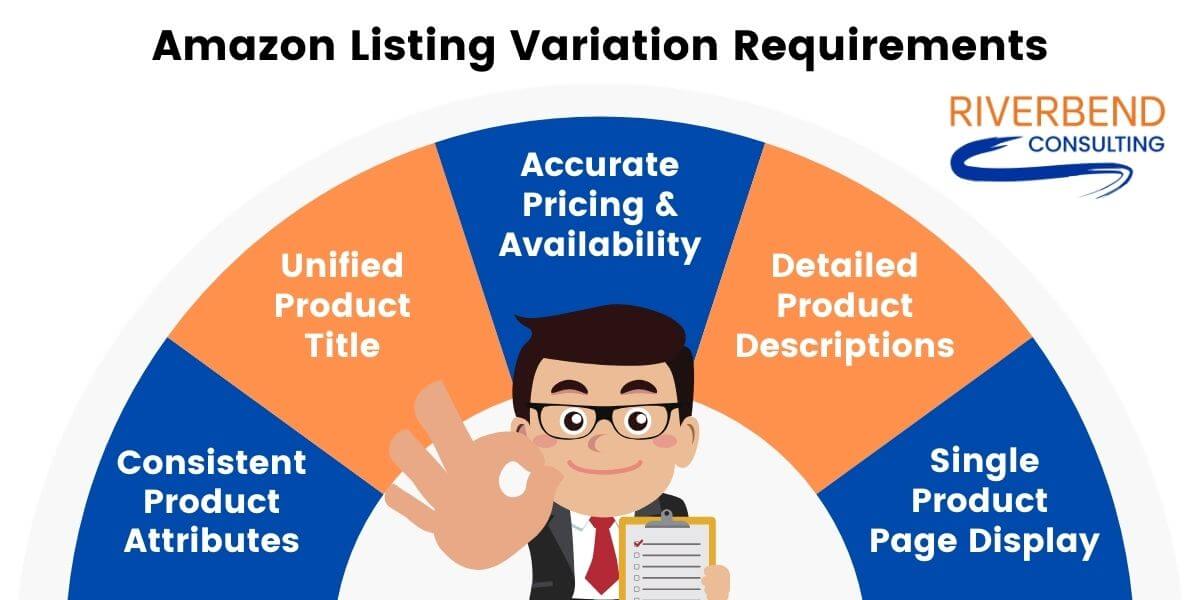
Carefully consider when to use variations and opt for separate listings to maintain compliance with Amazon’s policies, enhance the customer shopping experience, and protect your seller account from unnecessary risks.
Facing the crackdown: How to survive Amazon’s harsh penalties for poor listing variations
The Amazon marketplace has always been challenging, but the recent surge in enforcement against poor listing variations has taken the difficulty to a new level. Sellers now face severe penalties for even minor infractions, including immediate listing removal and Amazon seller account suspensions. The term “one strike and you’re out” has never been more apt.
Understanding the current situation
In over a decade of assisting Amazon sellers with appeals for account suspensions, Riverbend Consulting has never seen enforcement measures as aggressive as they are now. Amazon’s Seller Performance team is showing little tolerance for errors, often issuing the harshest penalties for what might be honest mistakes. The scale of this issue is enormous, affecting sellers of all sizes—from major brands to small entrepreneurs.
Bad variations are a common problem and can arise from sellers attempting to exploit the system by shoehorning unrelated products into popular listings to benefit from a good Best Seller Rank (BSR). However, most bad variations result from misunderstandings or mistakes when applying Amazon’s complex and often confusing variation policies.
Why are Amazon listing variations challenging?
The platform’s stringent and often ambiguous rules and limited allowable variations make it easy to violate guidelines, leading to severe penalties unintentionally. Understanding these complexities is essential to avoid the current crackdown on bad variations.
- Misaligned definitions: Amazon’s definition of acceptable variations often doesn’t align with how manufacturers and retailers categorize their product families. This misalignment can lead to unintentional errors.
- Limited variation options: For most categories, allowable variations are strictly limited to attributes like color, size, and quantity. Some categories might include additional attributes like flavor or scent, but these options must be more open, leaving little room for flexibility.
- Complex guidelines: The detailed guidelines and restrictions can be challenging to interpret and apply correctly. Sellers may struggle to understand what is and isn’t allowed, leading to unintentional violations.
How to avoid and address Amazon listing variation issues
If Amazon flags your variations or breaks up your product family, it’s crucial to take immediate and thoughtful action:
- Thorough research: Understand the specific variation policies for your product category. Refer to Amazon’s guidelines and seek advice from Amazon problem solving experts if needed.
- Heed warnings seriously: Don’t ignore warnings from Amazon. They are a clear indication that something is wrong with your listings. Failing to address variation issues promptly can lead to severe penalties.
- Avoid simple re-parenting: Don’t just re-parent your child listings without addressing the underlying issue. Ensure that each variation family is fully compliant with Amazon’s guidelines.
- Ensure consistency across listings:
Matching titles: Your parent and child listings must be consistent.
Uniform descriptions: Descriptions should accurately reflect the variations without deviating in detail or format.
Identical Images: The main images should be identical, with the only differences being the specific attributes like color or size. - Accurate variation attributes: Depending on the category, ensure variations differ only by allowable attributes such as color, size, or quantity. Avoid adding variations that don’t meet these criteria.
- Accurate data entry: Double-check details to avoid discrepancies that could trigger listing problems. Use Amazon’s flat file templates to upload and manage your listings. Flat files provide a structured and efficient way to handle large volumes of product data, ensuring accuracy and compliance with Amazon’s guidelines.
- Expert assistance: If you encounter issues, communicate clearly and promptly with Amazon reinstatement experts. Providing detailed information can facilitate faster resolution.
- Regular monitoring: Continuously monitor your listings for any issues or policy updates. Staying proactive can help you address problems before they escalate.
- Customer experience: Think about how your customers prefer to shop. If they typically look for a specific product type and then choose the variation they want (e.g., selecting a shoe and then picking the size), variations are likely the better choice. On the other hand, if customers search specifically for the differences (e.g., different styles or models of a tech gadget), separate listings may be more effective.
- Inventory management: Managing variations under a parent listing can simplify inventory management, as updates and changes are reflected across all child listings. Separate listings require individual updates, which can be more time-consuming but may be necessary if the products are distinct enough to warrant it.
Ultimately, choosing between variations or separate listings should be based on what will offer the best experience for your customers while aligning with your business strategy. Carefully consider the nature of your products and how your target audience interacts with them to make an informed choice.
Consequences of misusing Amazon listing variations
Misusing listing variations on Amazon can lead to severe repercussions:
- Listing suppression: Prooduct listings may become invisible in search results, directly affecting sales.
- Listing removal: Severe misuse can result in Amazon removing your listings entirely, causing significant disruption to your business.
- Account suspension: Repeated violations can lead to suspension, halting your ability to sell on Amazon.
- Negative seller metrics: Poor variation management can harm metrics like Order Defect Rate and Late Shipment Rate, leading to further penalties.
- Customer confusion: Incorrect variations can confuse customers, resulting in negative reviews and higher return rates.
- Increased Amazon scrutiny: Policy violations can result in stricter monitoring of your account, increasing the risk of future penalties.
- Loss of buy box eligibility: Misuse can lead to losing the Buy Box, significantly impacting sales.
How to avoid misuse
✔️Follow guidelines: Understand and apply Amazon’s variation policies correctly.
✔️Accurate listings: Ensure product data is accurate and consistent.
✔️Use flat files: Utilize flat files to manage listings and ensure compliance.
✔️Regular audits: Conduct regular audits to maintain compliance.
Stay vigilant and proactive
The current environment on Amazon demands that you be more vigilant and proactive than ever before. Regularly review and audit your listings to ensure compliance with Amazon’s variation policies. Stay informed about policy updates and changes to avoid inadvertently violating the rules.
By understanding and adhering to Amazon’s stringent guidelines, you can maintain the integrity of your listings and protect your Amazon seller account. While the crackdown on bad variations presents a significant challenge, these steps can help you navigate the complexities and avoid the harsh penalties that have become too common.
Ensure your listings reflect the high standards expected by Amazon and your customers. If you’re stuck in the loop of the Amazon listing variation issue and can’t seem to get out, we’re here to help. Reach out to us today so we can help you move forward.
Seller Account Health. Solved.